

AlphaNET Messaging Software for Alpha LED Signs
AlphaNET LED sign programming software lets you create, edit, schedule and preview messages for compatible Alpha LED signs. Combine text with graphics and animations, organize displays into sites or groups, and manage messages across a display network.
Use scheduled messages for announcements, promotions, news and special events. Event counters can display the days, hours or minutes to an upcoming occasion.
AlphaNET Software Features
► Schedule messages by time, date and location.
► Create messages with text, graphics and animations.
► Work with GIF animations and BMP graphics.
► Preview messages before sending them to a compatible display.
► Organize displays and message lists using Site Manager.
► Use up to five event counters for days, hours or minutes.
► Configure supported wired, wireless or LAN connections with the appropriate adapters and equipment.
Software and Display Compatibility
AlphaNET is Windows-based software and is not compatible with Mac. Before ordering, contact Salescaster to confirm the software version, your operating system, sign model, firmware and connection requirements. Confirm Windows 11 compatibility before planning an installation.
ActiveX-based real-time data applications require confirmation of the software version, control components and integration requirements. Available features and connection options depend on the display model and equipment used.
For display options, explore the Alpha Big Dot display and BetaBrite Classic LED display. Contact Salescaster to confirm compatibility with your specific model, firmware and connection equipment. For technical integration information, review the ALPHA LED Sign Communication Protocol.
Message Editor
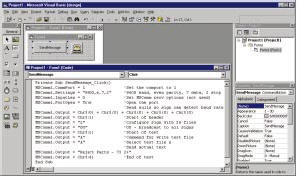
The Message Editor works much like a word processor. Enter text, select fonts and choose presentation modes supported by your sign. Add graphics, animations and colors to make messages easier to recognize. Available options depend on the display model.
Message Simulator
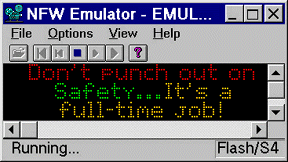
Preview messages, text, graphics and animations on your PC before sending them to a sign. The Message Simulator shows the size, color and position defined for the selected display model. Zoom controls help you check the placement of text and graphics.
Site Manager
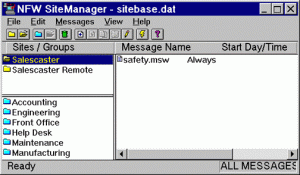
Site Manager organizes displays on local or remote networks. Associate message lists with individual sites or groups, and use addressing where supported to send messages to selected displays. Grouping helps manage transmissions across the display network.
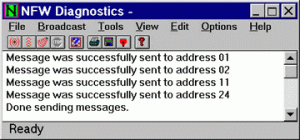
Diagnostics
The built-in Diagnostics utility tests a sign or a group of signs on a display network. Send test messages to selected displays or broadcast to a group. Supported queries can retrieve information such as a serial address or firmware version. Available diagnostic functions depend on the sign model and connection.
Communications Manager
Communications Manager tracks message transmissions and logs activity. Set options to save logs to a file, monitor current activity and review previous transmissions for message verification and error checking.
Animation Software
Create GIF animations and visual effects for compatible LED displays. Choose colors and graphics appropriate to the capabilities of your sign.
What to Check Before Ordering AlphaNET Software
For a new installation or an existing LED sign, send Salescaster these details so we can review the software and connection requirements:
- Your LED sign model and firmware version, if known.
- Your computer operating system and any AlphaNET version already installed.
- Your existing cables, adapters and available serial or network connections.
- The number of displays and the messages or schedules you need to manage.
Request an AlphaNET software quote and compatibility review.
Frequently asked questions about AlphaNET software
Select a question to view the answer.
The Salescaster Advantage
Salescaster helps customers choose messaging software and connection equipment for their LED display application. Tell us your sign model, operating system and messaging requirements so we can help confirm a suitable setup. Call (800) 346-4474 or request a quote to discuss your project.