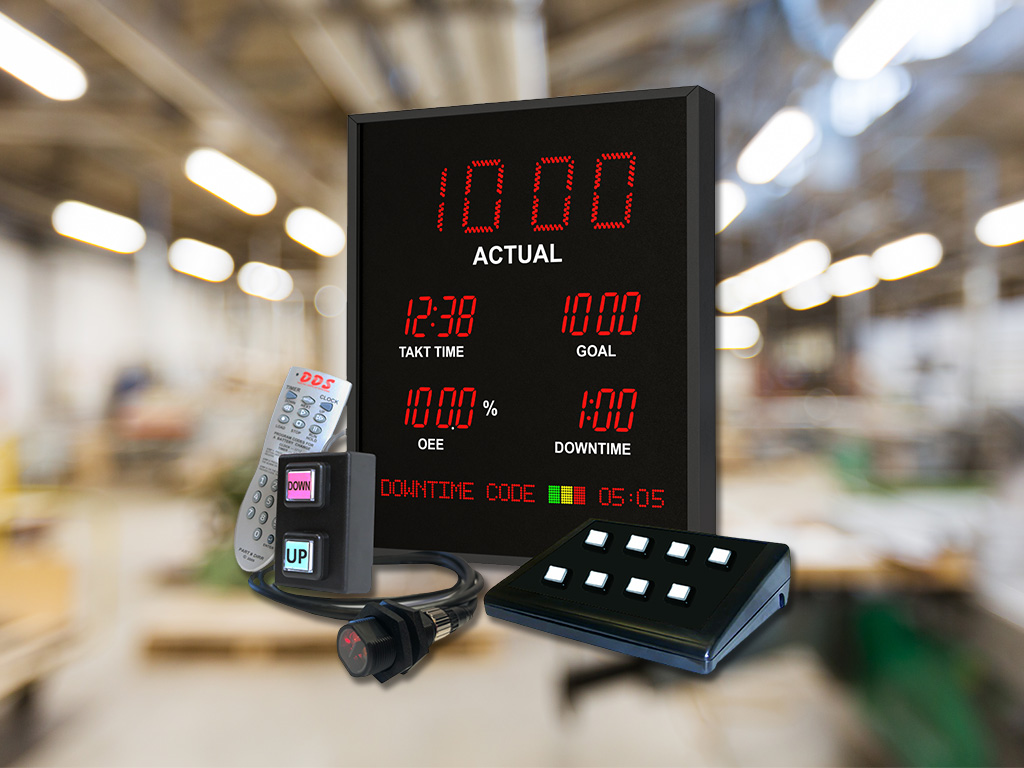
When production slows, your team needs to see it quickly. Salescaster®’s Smart Efficiency System combines an easy-to-read LED display with production counting, TAKT time, downtime tracking, and alerts. Operators can see how the line is performing, while managers can review activity and identify recurring interruptions.
Give everyone a clear view of production
Configure the display to show the information your team needs during a shift, including goal count, actual count, and TAKT time. Visible numbers help operators recognize when production is on pace and when a problem needs attention.
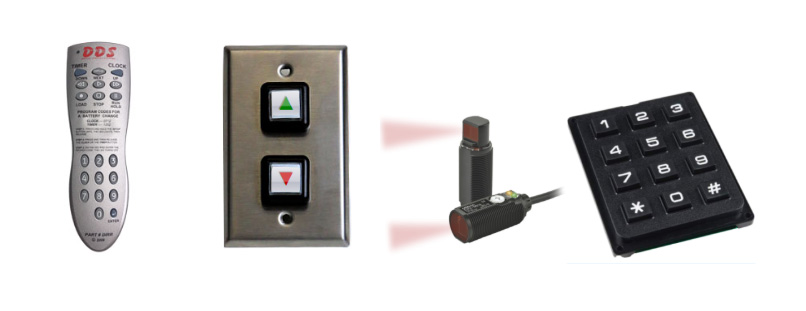
Counting inputs can be configured using a push button, remote control, infrared sensor, or PLC. Salescaster can help determine the right input and display arrangement for your process.
Identify downtime at the bottleneck
A bottleneck limits how much a production line can deliver. When that part of the process stops, the effect can extend across the operation.
The Smart Efficiency System can track downtime and display messages about events on the floor. Alert and message codes help teams record why interruptions occur. Reviewing those events over time can reveal problems that deserve closer attention.
Alert the floor when action is needed
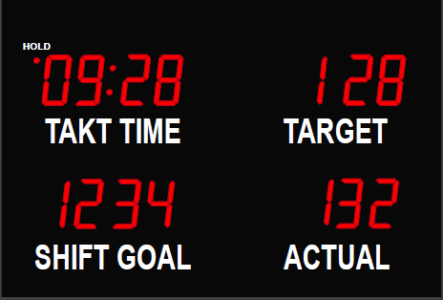
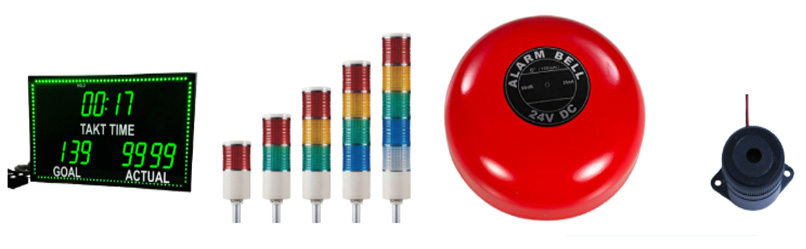
Visual and audible options can help notify workers when a target is missed or a process needs attention. Depending on the configuration, the system can incorporate Andon signal lights, flashing border lights, bells, or buzzers.
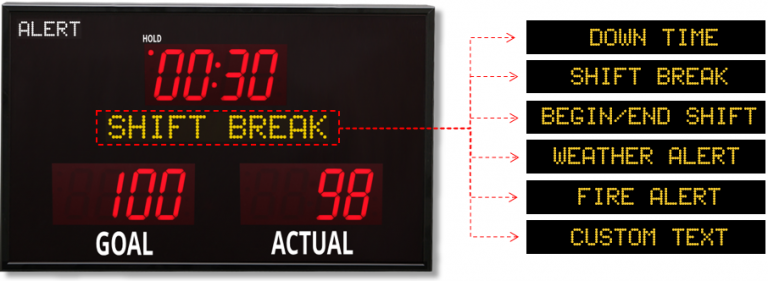
The system supports up to 12 alert and message codes. Its 20-character message board can show downtime reasons, breaks, and other operational messages. The TAKT timer can switch to downtime tracking, and scheduled breaks can trigger alerts or pause counting, depending on the configuration.
Review activity across your facility
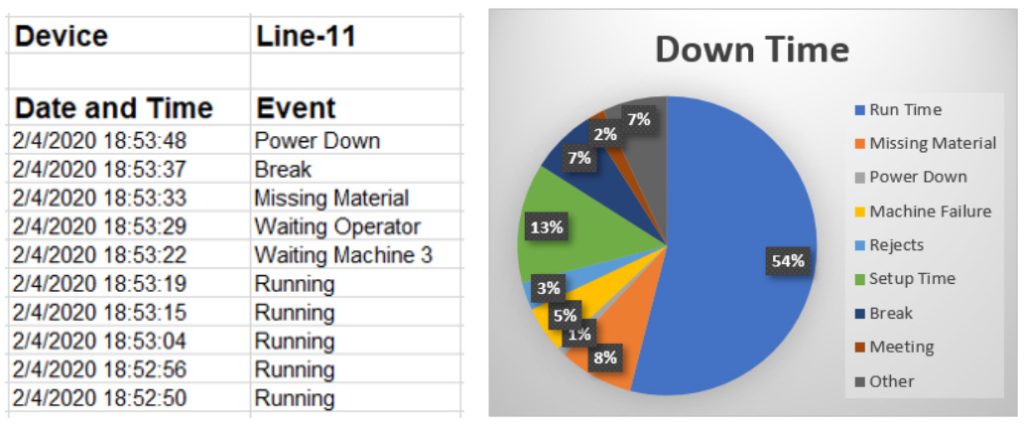
For connected installations, managers can access live information and historical logs through an interface on the company’s local network. This provides a way to review activity from multiple devices and examine recorded alerts and events.
Configure the system around your operation
Salescaster can discuss a configuration that includes:
- Goal and Actual Production Counter
- TAKT Timers and LED Production Counters
- Downtime tracking and event codes
- Scheduled break messages and alerts
- Optional visual and audible alarms
- Push button, sensor, remote control, or PLC inputs
- USB or Ethernet connectivity
- Live information and historical data logs
The system can support production monitoring in parts manufacturing, food production, pharmaceuticals, medical operations and other facilities where teams need a shared view of performance.
Smart Efficiency System FAQs
What production information can the system display?
The Smart Efficiency System can show goal count, actual count and TAKT time, along with operational messages. Its 20-character message board can display downtime reasons, breaks and other messages. The information displayed depends on the configuration selected for your operation.
How are production counts entered?
Counting inputs can be configured using a push button, remote control, infrared sensor or PLC. Salescaster® can help determine which input method and display arrangement fit your production process.
How does downtime tracking work?
The TAKT timer can switch to downtime tracking, and alert and message codes help teams record why interruptions occur. The system supports up to 12 alert and message codes. Reviewing recorded events can help managers identify recurring interruptions; Salescaster® can review the setup needed for your operation.
Can managers review information over the local network?
For connected installations, managers can access live information and historical logs through an interface on the company’s local network. This allows them to review activity from multiple devices and examine recorded alerts and events. Network access and reporting options should be confirmed for the selected configuration.
Let’s discuss what your team needs to see
Tell Salescaster® about your production process, the numbers you want displayed, and how your team responds when a line stops. We can help determine the display, inputs, alerts, and reporting options that fit your operation.